

What a stream key is
A stream key is the credential that identifies your signal when it comes into Enhanced IRL. Everything else hangs off it: the URL you broadcast to, the one you use to watch what’s coming in, the region it comes in through and the bitrate cap it takes.
It’s your way in, not your way out
Section titled “It’s your way in, not your way out”It’s the number one mix-up, so it goes first:
- Your Enhanced IRL stream key is where your signal comes in. We generate it when you subscribe and it never has to be typed anywhere: you copy it from the dashboard.
- Your platform’s stream key (the one Twitch, Kick or YouTube give you) is where your broadcast goes out to your channel. You save that one once in Account → Streaming channels and the Cloud OBS uses it to publish.
They don’t replace each other and they aren’t alike. Paste one where the other goes and nothing broadcasts.
What it gives you
Section titled “What it gives you”Every key comes with two URLs, and those are the two things you’ll actually be copying:
- The publish URL, which goes into your encoder.
- The playback URL, to watch what’s coming in or bring it into your own OBS.
On top of that, every key has its Protocol (RTMP, SRT or SRTLA), its region and its bitrate cap.
How many each plan includes
Section titled “How many each plan includes”| Plan | Keys | Key cap |
|---|---|---|
| Stream Key Lite | 1 | 9,000 kbps |
| Stream Key | 1 | 9,000 kbps |
| OBS Basic | 1 | 6,000 kbps |
| OBS Standard | 2 | 6,000 kbps |
| OBS Pro | 3 | 10,000 kbps |
All of them accept RTMP, SRT and SRTLA. If you need more keys, subscribe to another product with Get new key on the keys screen itself, or change plan (Plans and pricing).
Where you see them in the dashboard
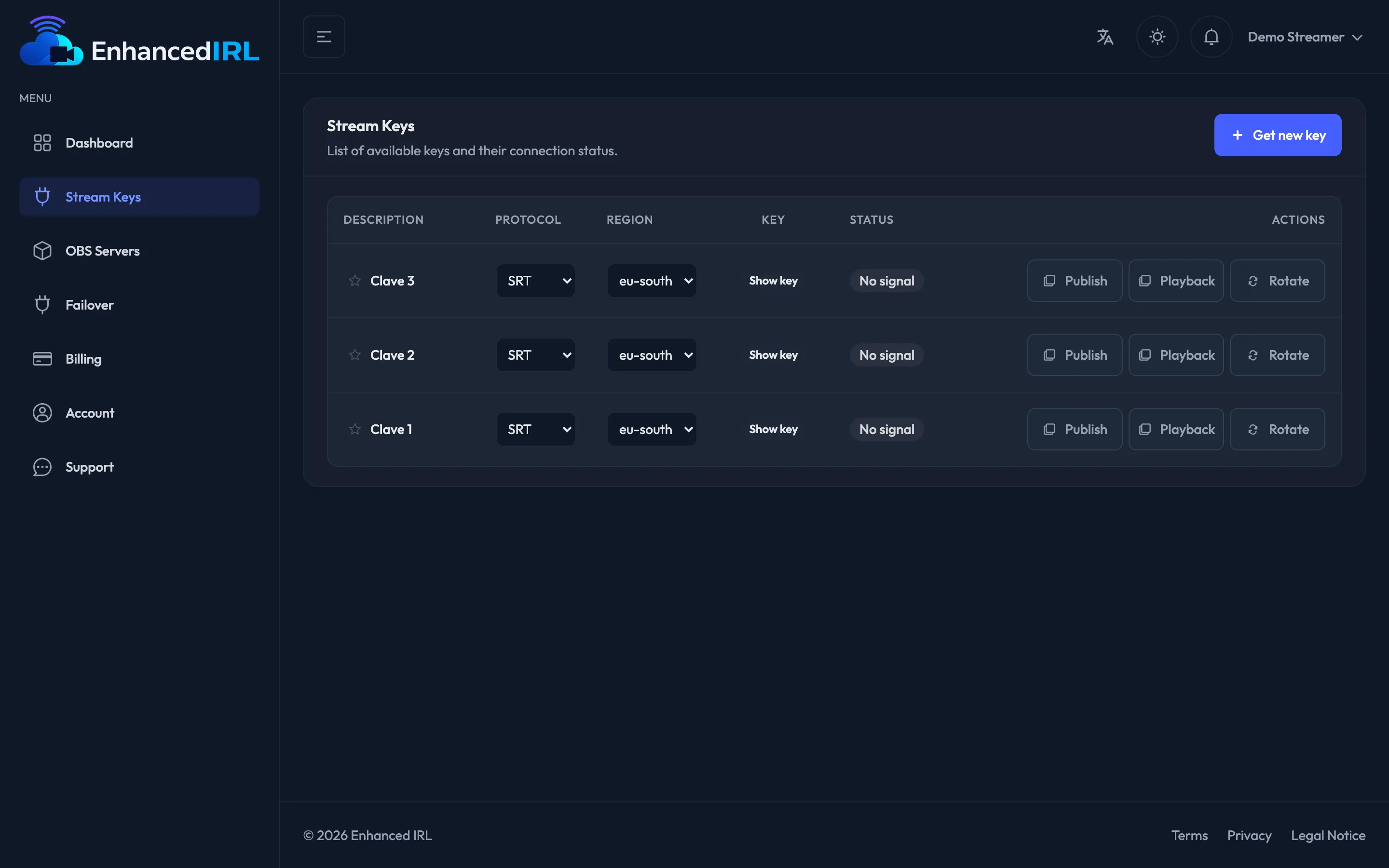
Section titled “Where you see them in the dashboard”Side menu → Stream Keys. Each key is a row with:
| Column | What for |
|---|---|
| Description | A name of your own, editable, to tell them apart |
| Protocol | RTMP, SRT or SRTLA |
| Region | Where your signal comes in |
| Key | The value, hidden until you hit Show key |
| Status | Streaming, No signal or No subscription |
| Actions | Publish, Playback and Rotate |
See also
Section titled “See also”- Caps and states — what each state means and what to do.
- Your first stream — using it for the first time, start to finish.