

Plans and pricing
Five plans, two families: stream keys and Cloud OBS. All monthly, in euros, with no lock-in.
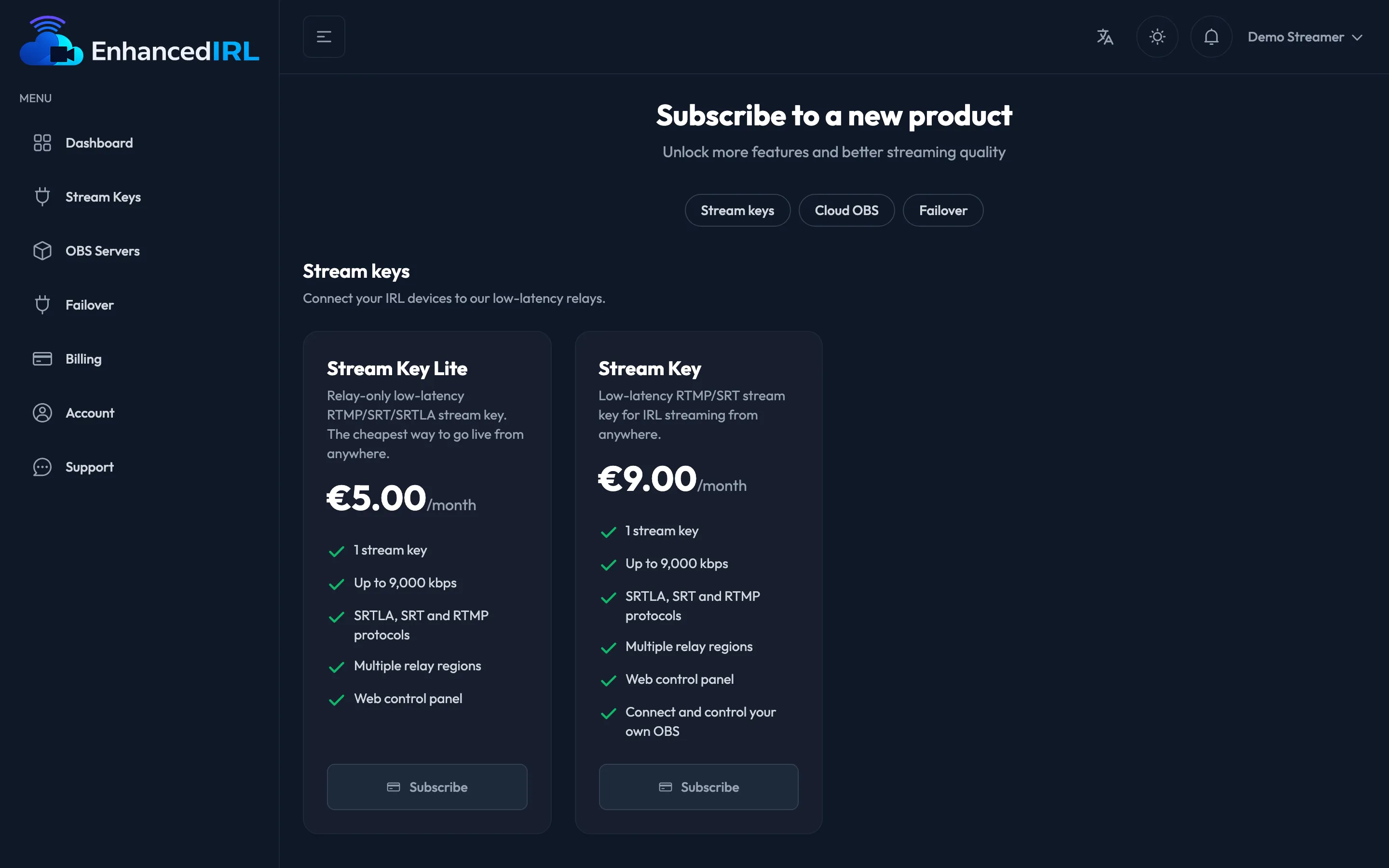
The five plans
Section titled “The five plans”| Plan | Price | Keys | Key cap | Cloud OBS | Output | Storage | Remote desktop |
|---|---|---|---|---|---|---|---|
| Stream Key Lite | €5/month | 1 | 9,000 kbps | — | — | — | — |
| Stream Key | €9/month | 1 | 9,000 kbps | — | — | — | — |
| OBS Basic | €29/month | 1 | 6,000 kbps | 720p 30 fps | 4,000 kbps | 5 GB | No |
| OBS Standard | €59/month | 2 | 6,000 kbps | 1080p 30 fps | 5,000 kbps | 5 GB | Yes |
| OBS Pro | €89/month | 3 | 10,000 kbps | 1080p 60 fps | 8,000 kbps | 10 GB | Yes |
Key cap is the most you can push up from your encoder. Output is the most the Cloud OBS broadcasts towards your platform.
Already have a plan in one of these families? To move to another plan in that same family don’t subscribe again: change plan and you keep your scenes, your settings, your files and your main key.
Add-ons
Section titled “Add-ons”They’re bought separately from your plan and stack on top of it. There’s one today:
| Add-on | Price | What it does | Requires |
|---|---|---|---|
| Vertical output | €29/month | The Cloud OBS goes out in landscape and 9:16 at the same time, each to its own platform | OBS Standard or OBS Pro |
You buy it for one specific Cloud OBS server, from that server’s own screen, and you can move it to another one whenever you want. → Vertical output
Who each one is for
Section titled “Who each one is for”- Stream Key Lite — You already have your OBS set up at home and all you need is a reliable place to broadcast to from the street. It’s the cheapest thing we do.
- Stream Key — Same, plus you connect that OBS to the dashboard to control it from your phone and give it automatic scene switching.
- OBS Basic — You don’t want to depend on a PC left on at home. 720p at 30 fps, controlled from the web dashboard and with overlays.
- OBS Standard — Same, but with full access to the OBS interface and two keys (your phone and a camera, for example).
- OBS Pro — 1080p at 60 fps, three keys and twice the storage. For demanding streams.
Lite vs Stream Key
Section titled “Lite vs Stream Key”It’s the number one question, and there is exactly one difference: with Stream Key you can connect and control your own OBS from the dashboard (and turn on automatic scene switching); with Stream Key Lite, you can’t. Keys, bitrate and protocols are identical.
If you’re never going to touch your OBS from your phone, Lite is enough. → Control your OBS from My OBS
Basic vs Standard
Section titled “Basic vs Standard”Here the key difference is the remote desktop. On OBS Standard you get the Desktop tab and you handle OBS as if you were sitting in front of it: sources, filters, settings, whatever you need. On OBS Basic that tab doesn’t exist; the server is controlled from the web dashboard (scenes, starting and stopping the stream, audio) and with overlays.
Standard also goes up to 1080p and two keys. If you want to get into OBS properly, you need Standard or Pro. → Remote desktop
What holds for everyone
Section titled “What holds for everyone”- Every plan with a key accepts RTMP, SRT and SRTLA.
- You broadcast to one destination. There’s no multistream (except the vertical output add-on, which adds a second destination in 9:16).
- Cloud OBS is built to broadcast, not to record.
- You can combine products from different families: each one is its own subscription. During the beta it’s one per family (one stream key and one Cloud OBS), so the servers go round for everyone.
- Monthly billing, no lock-in: cancel whenever you like and it stays active until the end of the period you paid for.
Next step
Section titled “Next step”- Change plan: moving to another plan in the same family, or subscribing to another product.
- End of the beta: when charging starts.
- Limits table: all the numbers in one place.